Flag This Hub

The Different Types of Printers

By


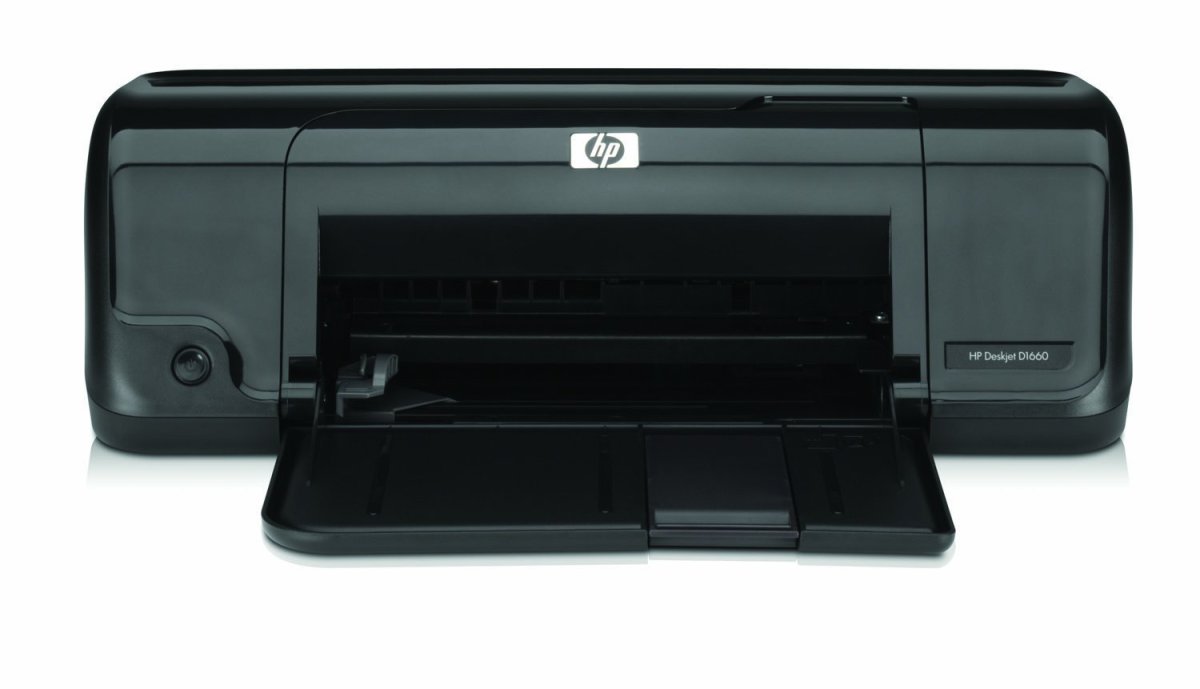
What I’m going to introduce is the different types of computer printers for home use. If we have computers, then most likely, we also have printers connected to our computers. Sometimes, it is packaged with the PCs we buy but sometimes, we just buy one because we know we are going to need it.

Printers either use laser or inks. Laser printers are much more expensive than inkjet printers but they are much faster and ideal for business use. In most homes and offices, inkjet printers are what are typically used.

Laser printers have two kinds of printing method, the monochrome (black and white) and the colored. Some laser printers have built-in duplexer for two-sided simultaneous printing capability. Monochrome is ideal for large volume printing and since you are basically going to print texts only with a monochrome printer, it is most ideal for office use. Colored laser printers are also fast but slightly slower than a monochrome laser printer. It is ideal for both business and home use but are basically very expensive. Most of us probably can’t afford it, but there is a cheaper option; the inkjet printer.

Inkjet printers are categorized by home printers and office printers. Office printers will generate you fast printing results while home printers are slower in the printing process. Some brands give you 4 ink printers and some give you 6 ink printers. 4 ink printers are generally ideal for everyone to use. 6 ink printers are probably a better choice if you need to print graphic illustrations and high resolution photographs. 6 ink printers, though, are more expensive than 4 ink printers.

Before buying printers, it is advisable to weigh your options. An inkjet printer may be less expensive but you might experience frequent paper jams, and cartridges can also be very expensive. So if you are printing in large volumes of texts and photos, you might want to consider a laser printer. A laser printer might be more expensive but they are more efficient especially if you are printing in large volumes.

Features of Printers

The cheapest kind of printer is a printer that can be interfaced with the computer but doesn’t have other features.  Without the computer, it won’t function at all.  It can’t function independently and at the same time, it doesn’t have other functions except printing only.


For multi-function printers, they can be interfaced with the computer but they can also perform different function independent from the computer.  There are different kinds of multi-function printers.  One kind of multi-function printer has the scan, photocopy, and printing functions only.  It can be used independently without the computer.  Second kind of multi-function printer has print, scan, photocopy, pictbridge and card reader slots.  And then there is the all-in-one home and business printer.  It has print, scan, photocopy, pictbridge, card reader slots, and fax functions.  Duplexers (for double sided printing) may be built-in or added depending on your printer brand and model.


For laser printers, they don’t have pictbridge and memory card slots.  But you can choose a laser printer that can scan, photocopy, fax, print, and has built-in duplexers.
 

Comments

quicksand 3 years ago

Hi BeatsMe,

My first printer was a Canon. I used to refill the cartridge by first heating a pin and burning a hole at the top. I then insert the needle of a surgical syringe duly filled with ordinary ink and inject the liquid into the compartment.

But nowadays I believe that computers are programed to malfunction if a refilled cartridge is used, right?

:)

BeatsMe 3 years ago

A-ha! Uhm, I didn't know you can do that. :)

I think it depends on the printer you're using. There are ink refilling stations so you can refill your cartridges. But they're not available for all brands.

cgull8m 3 years ago

"Before buying printers, it is advisable to weigh your options. An inkjet printer may be less expensive but you might experience frequent paper jams, and cartridges can also be very expensive. So if you are printing in large volumes of texts and photos, you might want to consider a laser printer. A laser printer might be more expensive but they are more efficient especially if you are printing in large volumes." Great suggestions, that sums it up.

I used tons of ink jet cartridges, heard about the ink filling but never tried. Used lots of generic brands, the quality was OK. Now I just use Laser printers, they work great. I want to try a color laser printer, but don't have the need for it.

Another thing, the ink jet we use usually say replace even though some ink is still left. It is better to ignore the manufacturers warnings, they just make us buy more ink.

BeatsMe 3 years ago

Hi Cgull. I think that your complaints about inkjet printers are also other people's complaints, including mine. :) But to most of us who are not really into large volume printing, an inkjet printer just sound more feasible.

I'm not sure about ignoring the warnings though. My printer wouldn't print anything if it says 'no more ink'. I'd need to buy a new one, or at least try to fool my printer by reinstalling the cartridge.

katyzzz 3 years ago

You can get cartridges refilled, at half the price of a replacement cartridge at places like Cartidge world. It worked fine for me.

Nowadays I don't print much but it is good to have a printer on stand-by and great to cut teplacement cost in half or more.

BeatsMe 3 years ago

Hi Katyzzz, it really depends on the brand. Some printer brands don't allow refilled cartridges. I used to have Epson and now Brother. In both brands, their cartridges cannot be refilled.

I agree with you about cost cutting. That's why I always choose the cheapest brand and model available. ;) I'm not sure how much I've saved for long term though 'coz I don't really use expensive brands. Couldn't compare.

babyling 2 years ago

i like it , but add more to it otherwise maroonga....................bye

BeatsMe 2 years ago

Hi babyling, thanks for dropping by and for leaving comment.

Eileen Hughes 2 years ago

I found the best printer for color was an hp inkjet. I bought the new whizzbang cannon that did disks photos and the lot but the color was not a patch on the hp. latest technology is not always the best reproduction.

thanks for sharing that.

BeatsMe 2 years ago

Hi Eileen, thanks for sharing. I really don't notice picture resolutions anymore maybe because I don't really compare them. But a lot of people really luv hp over any other brands.

I agree with you. Latest technology isn't always the best, but sometimes you need to get used to a product before you can fully appreciate them. Good luck on your new Canon. Hope that when you get used to it, you'll start loving it. :)

jake gwapo 2 years ago

waaaaaaaaaaaaa come again please!!! as in more details pls....

thanks a lot!!! ^^,

BeatsMe 2 years ago

Hi Jake, thanks for coming by. When it comes to details, I think I've already given what I know. Every features I know that are available have already been included either here or in http://hubpages.com/hub/How-to-Choose-the-Right-Pr

Hope this answers your request. :)

TomasBusse 2 years ago

Their are thousands of printers that are available in the market today, and at times person get confused which one to take, you can see this as an example http://www.eco-inkjets.com, their are so many printers that you would be glad to see them.......

BeatsMe 2 years ago

Hi Tomas, yes, there are just so many printers and we need to choose carefully before buying 'em. And knowing the different types will certainly help us with our decisions.

mazhar 2 years ago

i have got o project work from my school. the

mazhar  2 years ago

my project work from school is to find some different types of printer and their work

BeatsMe 2 years ago

Good luck Mazhar. Hope you find some answers here.

ebenezer femi 2 years ago

printer

samantha 24 months ago

I need to find a list of different Printers. Please, could you suggest a good site to visit?

BeatsMe 24 months ago

Hi Samantha, maybe this link could help. http://hubpages.com/hub/How-to-Choose-the-Right-Pr

This only shows the different printer features. If you are looking for specific printer model, then I'm sorry, I still haven't found a site that lists them.

priyam 11 months ago

very nice

BeatsMe 11 months ago

Thanks.

Sprinkle 7 months ago

thanks :) doing a reaserch project on printers. you were very helpful.

BeatsMe 7 months ago

Thanks for stopping by, Sprinkle. Glad you've found this helpful. Best of luck on your project. :)

anju 7 months ago

nice printers and hi friends

BeatsMe 7 months ago

:) :)

adilrock 6 months ago

thank you

BeatsMe 6 months ago

:) :)

john tolentino 6 months ago

thank u nagaWA KO ASSIGNMENT KO

Pretty Girl 6 months ago

Hi quicksand,

Yes, now a days you can refill ink cartridges but it is recommended to buy them... I just take the siringe thingamagig and punch it down into the top of the cartridge---i fill the siring thing with ink furst--- then i put the cartridges back.... I have a hp D1490 printer.... The computer malfunctions when u refill the ink cartridges and place the ink in the wrong color slots.......

BeatsMe 6 months ago

Thanks.

hoy!....... 6 months ago

i like printer, b'cos wee can do anything..........

BeatsMe 6 months ago

:) :)

Nabaraj 5 months ago

Thanks for the information

Arjun Panday 4 months ago

very nice article i like it

BeatsMe 4 months ago

:) :)

gaurav 3 months ago

nice printers

BeatsMe 3 months ago

:) :)

deepshikha bhardwaj 2 months ago

very good printers like it

deepshikha bhardwaj 2 months ago

very nice printers

BeatsMe 2 months ago

:) :)

Bla bla 8 weeks ago

Stil dont which printer is better

BeatsMe 8 weeks ago

Hi, good luck in choosing which printer to buy.

Sunil Rawat 5 weeks ago

I Like this

BeatsMe 5 weeks ago

:) :)

suhani 3 weeks ago

great!!!!!!!

BeatsMe 3 weeks ago

:) :)

Submit a Comment
Members and Guests

Sign in or sign up and post using a hubpages account.


    Like this Hub?
    Please wait working